
SCAN. TRIAGE. REPORT. DONE.
Turn findings into action, not spreadsheets
JuturnaReport turns raw scanner output into triaged, actionable findings. Assign severity, dismiss false positives, route findings to your ticket system, and generate professional reports, all from a single desktop application.
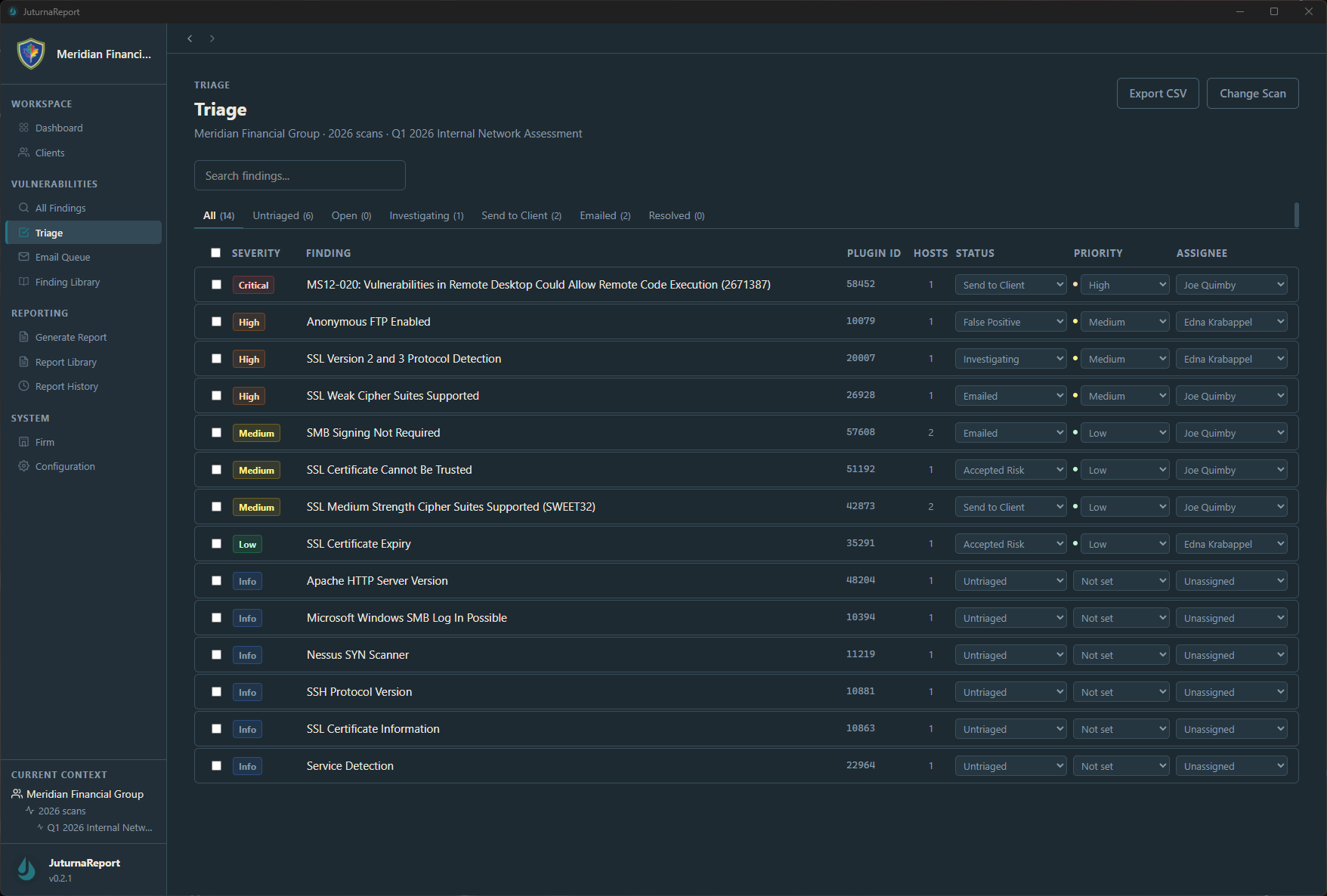
From scanner output to curated findings
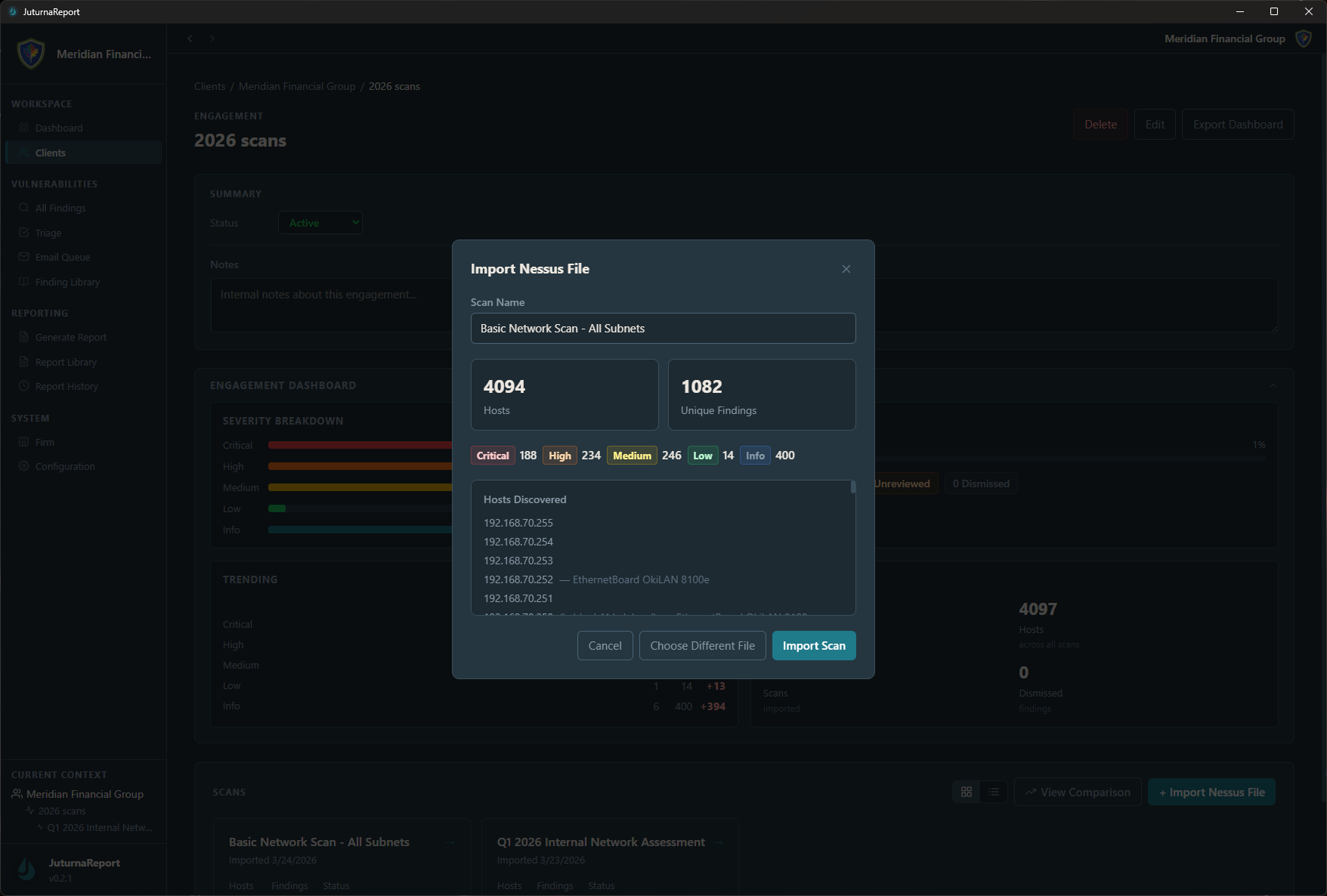
Import .nessus files directly into JuturnaReport. The triage workflow lets you review each finding, assign or adjust severity levels, add analyst commentary, and decide what makes it into the final report. Dismiss false positives, promote real findings, and keep a clear audit trail of every decision.
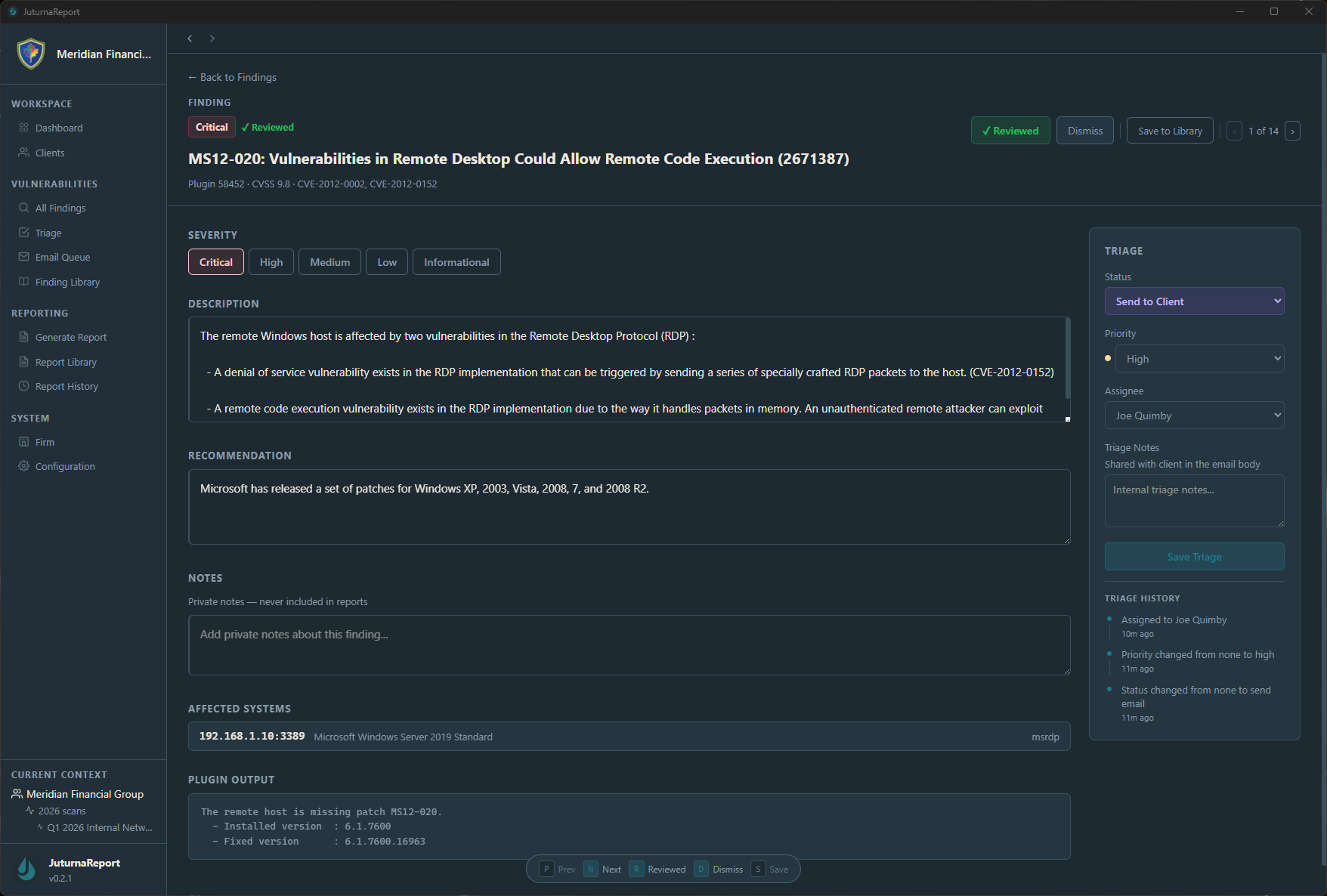
Route findings to any ticket system
Send triaged findings directly to your ticket system via SMTP email. Jira, ServiceNow, Zendesk, or any system that accepts email input. No API configuration, no vendor-specific integration. If it has an email address, JuturnaReport can send to it. In air-gapped environments, findings can be exported to CSV for manual submission to your ticket system.
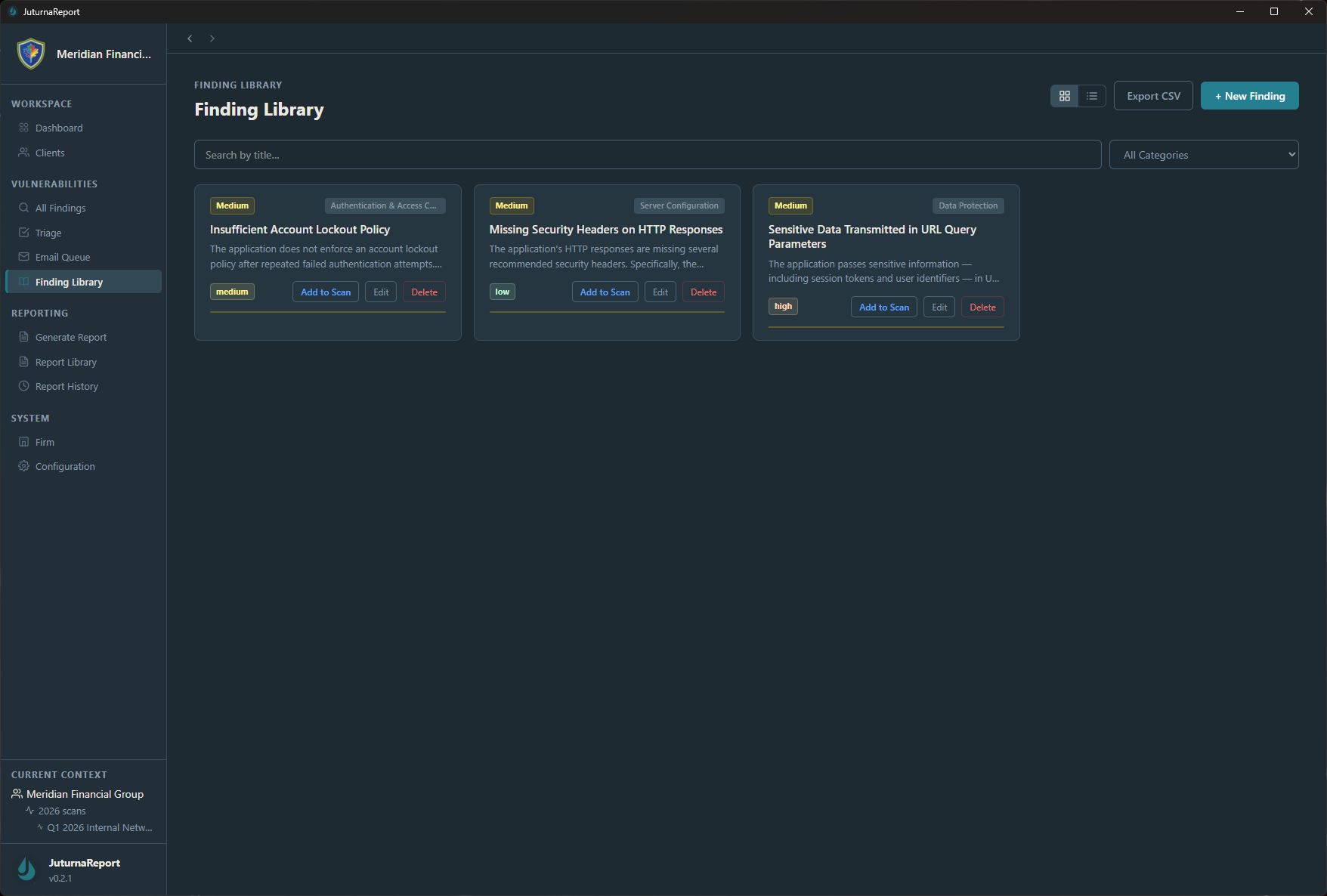
Write it once, use it everywhere
Build a persistent library of vulnerability descriptions, remediation steps, and severity ratings across engagements. When you encounter the same finding again, and you will, pull it from your library instead of writing it from scratch. Consistent language, consistent quality, less time per report.
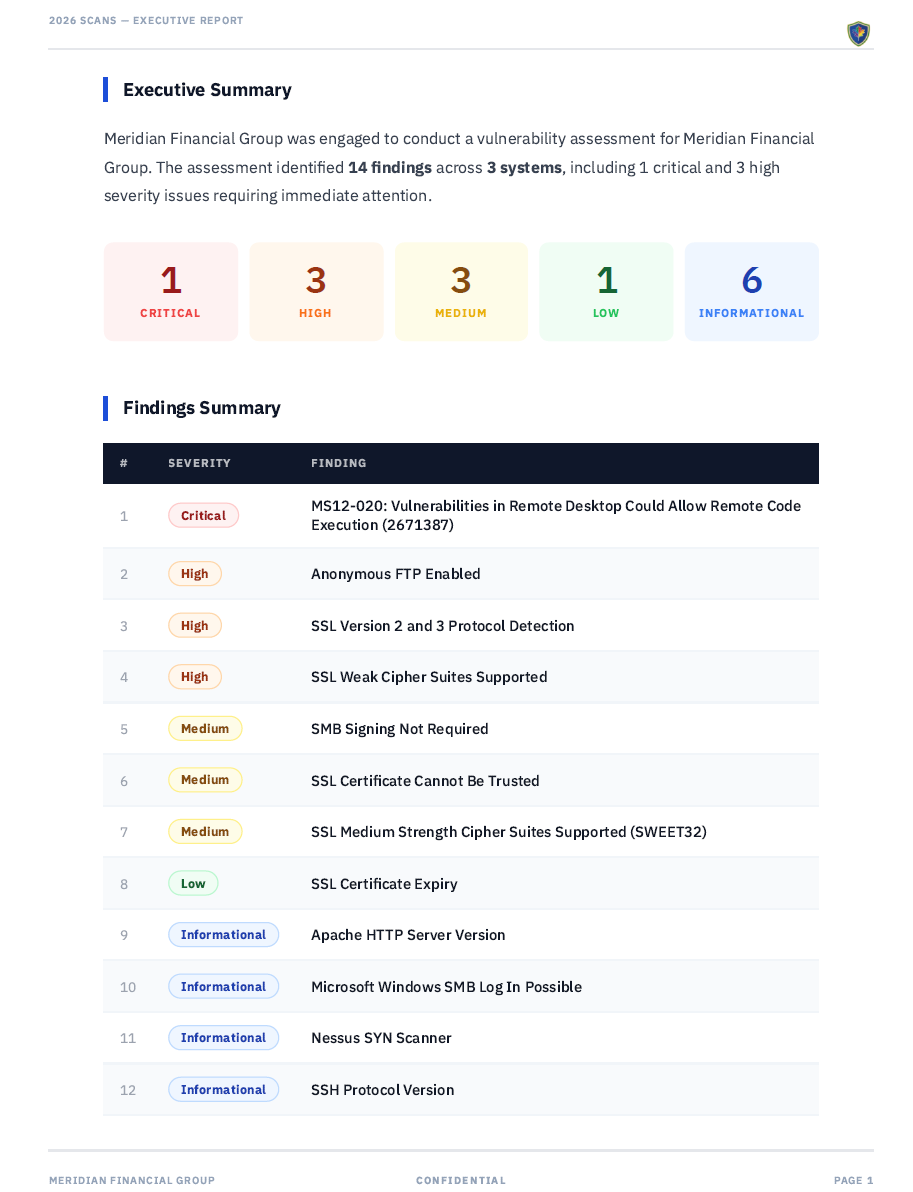
Professional reports in minutes, not hours
Generate structured vulnerability assessment reports with customizable templates. Choose which sections to include, control severity table formatting, and toggle executive summary content, then export a polished PDF ready for delivery. Preview every report in-app before you export, so you catch formatting issues before your client does.
Organized by engagement
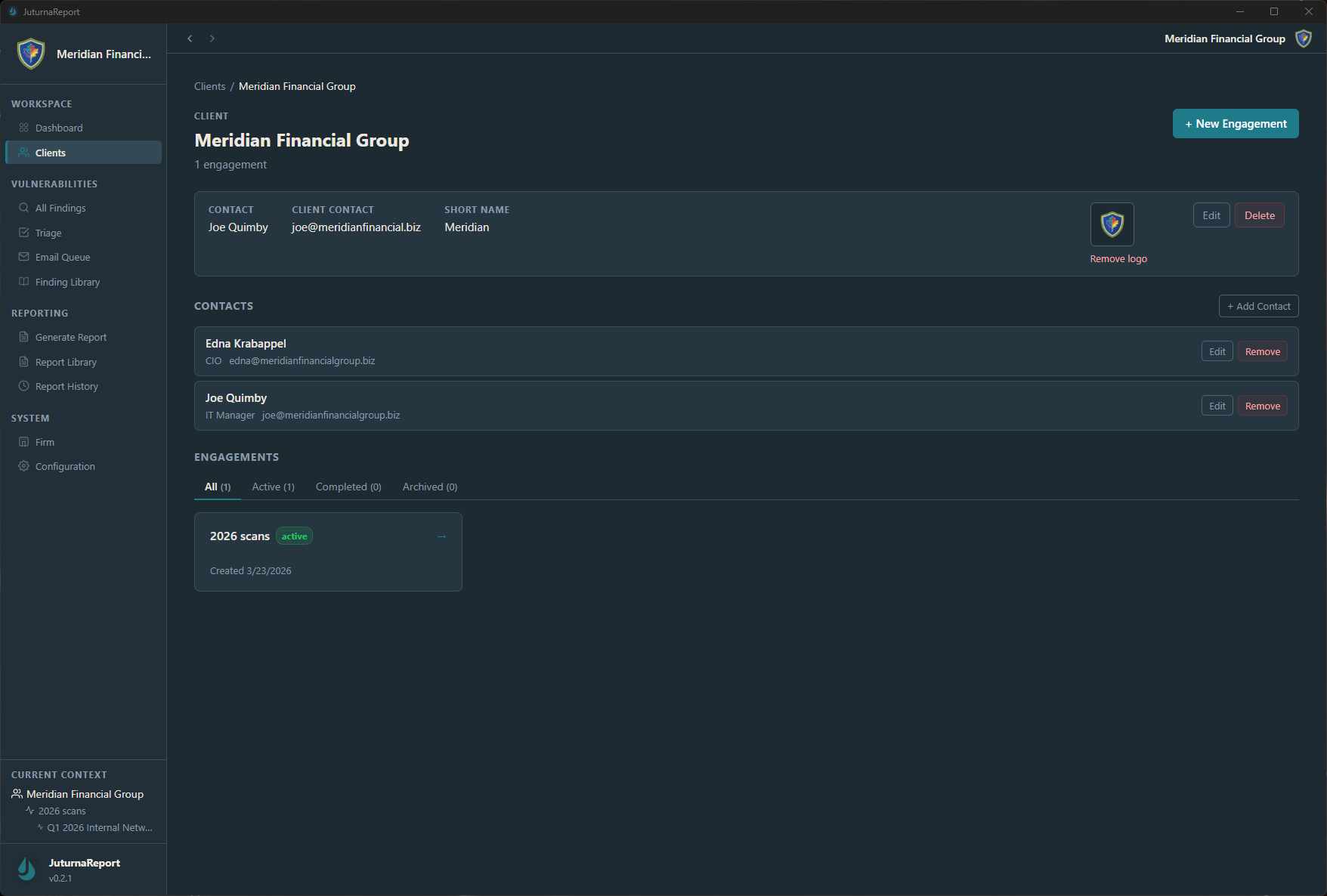
Create clients, define engagements, assign contacts, and track deliverables in a structured workflow. Every report is tied to an engagement, every engagement is tied to a client. Your report history is searchable, sortable, and always available, not buried in a directory tree.
Your data. Your machine. No exceptions.
JuturnaReport stores all data in a locally encrypted SQLite database using SQLCipher. Access is protected by a master password with a backup recovery code. No cloud sync, no external database, no third-party storage. Your engagement data stays exactly where it should, on your workstation, under your control.
Bring your scanner data in, take your analysis out
Import .nessus files directly into JuturnaReport. Export from All Findings, Triage, and the Finding Library to CSV for external analysis, integration with other tools, or archival. JuturnaReport fits into your existing toolchain. It does not try to replace it.
Under the hood
| Application type | Native desktop app, single installer |
|---|---|
| Data encryption | AES-256 via SQLCipher (encrypted local database) |
| Platform | Windows |
| License | 1 license = up to 3 machine activations |
| Offline support | Full offline and air-gapped operation (30-day revalidation) |
| Data residency | All data stored locally, never transmitted externally |
How JuturnaReport compares
You have options for vulnerability reporting. Here is how JuturnaReport fits.
| Enterprise Platforms | Open Source Tools | JuturnaReport | |
|---|---|---|---|
| Pricing | $$$, per-seat, "contact sales" | Free, plus your time to deploy and maintain | $49/year or $149 lifetime |
| Infrastructure | Cloud-hosted or self-hosted servers | Docker, databases, web servers, ongoing maintenance | Single installer, runs in minutes |
| Setup time | Days to weeks | Hours to days, plus configuration | Download, install, done |
| Offline / air-gapped | Rarely | Depends on deployment | Yes, by design |
| Data location | Vendor cloud or your servers | Your servers | Your workstation, encrypted |
| Seat licensing | Per-user pricing | Typically unlimited | Up to 3 machines, no per-user fees |
| Ticket integration | API configuration required | DIY or not included | SMTP to any system, minimal configuration |
Stop drowning in findings. Start closing them.
JuturnaReport is fully functional today and in active development toward v1.0. Every early access purchase helps fund continued development. 30-day money-back guarantee, no questions asked.
Get Early Access