
Running vulnerability assessments for a single organization is a contained problem. You import a scan, triage the findings, generate a report, and deliver it. The data belongs to one client. The report has one name on the cover. There is one set of contacts to route findings to.
Running assessments for ten clients is a different kind of problem. The same workflow repeats, but everything that should be isolated needs to actually be isolated. Client A’s findings cannot show up in Client B’s report. Each report needs to look like it was produced for that specific client. The pricing model for your tooling cannot scale linearly with the number of clients you serve, or the economics of offering this service stop working.
Most vulnerability management platforms were not designed with this in mind. They are built for a single organization managing its own environment, and they accommodate multi-client work as an afterthought, if at all.
Organizing work by client and engagement
The foundation of an MSP workflow is clean data separation at the client level. Every scan, every finding, every report, and every contact belongs to a specific client and stays there.
Within each client, work is organized into engagements. An engagement represents a discrete assessment scope: a quarterly internal network scan, an annual external assessment, a one-time PCI scoping review. Each engagement holds its own scans, its own triaged findings, and its own reports. A client with a two-year history of quarterly assessments has eight engagements, each with its own complete record.
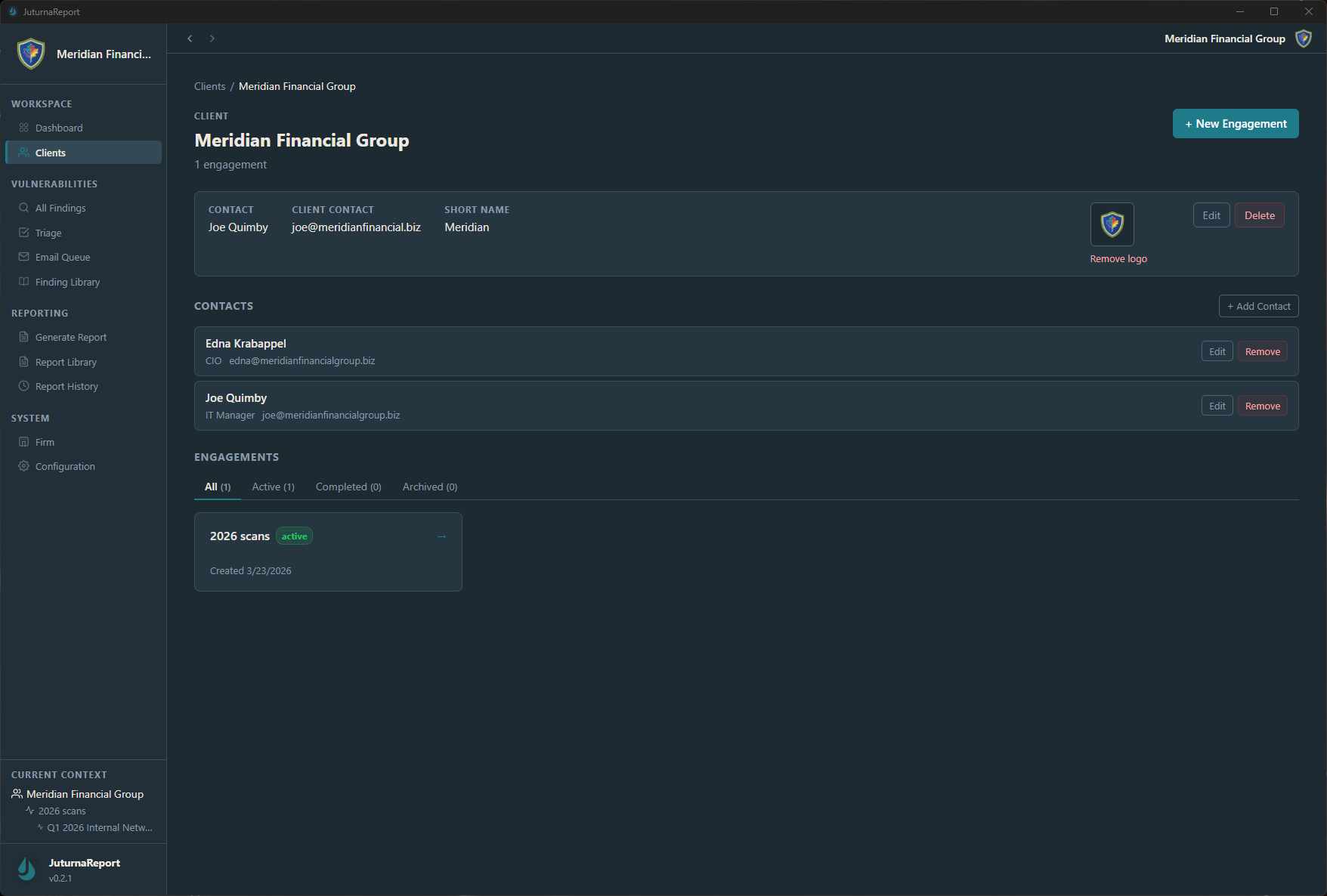
The engagement model matters because client environments change. The findings from Q1 are not the same as the findings from Q3. Mixing them into a single undifferentiated list makes it harder to answer the question any client will eventually ask: what did you find last time, and have things improved? Separate engagements with separate finding sets give you a clean comparison rather than a merged pile.
Client records also hold contact information: a primary contact, a ticket system email for routing findings to the client’s remediation team, and an engagement manager. These carry forward across engagements so you are not re-entering them for every assessment cycle.
Per-client report branding
Every report you produce for a client should look like it was produced for that client. That means the client’s name on the cover page, appropriate formatting, and a professional presentation that reflects the relationship rather than making it obvious that you used the same template for everyone.
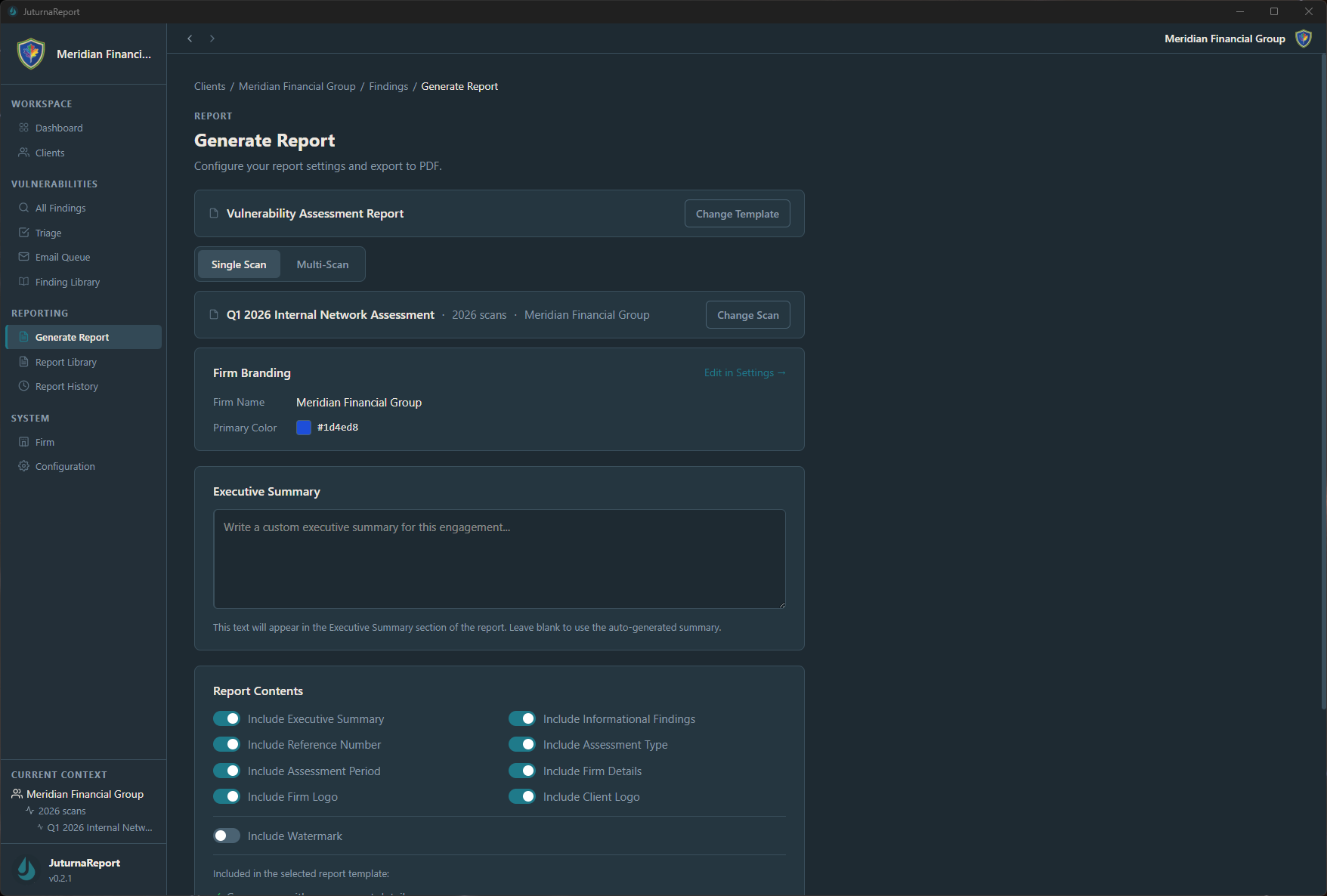
The report generation screen handles branding per engagement. The firm name and primary color configured on a client carry through to the report cover and header. The executive summary is written specifically for this engagement rather than generated from a formula, which is where the analyst’s knowledge of the client’s environment and risk tolerance makes the report worth more than a raw scanner output.
Report content toggles let you include or exclude sections by engagement type. An external assessment report has different requirements than an internal network scan. A compliance-driven assessment may need a reference number and improvement period tracking that a routine quarterly scan does not.
The finding library advantage across multiple clients
The same vulnerability types appear across client environments regardless of industry or size. Missing patches, weak authentication configurations, unencrypted data in transit, open administrative interfaces: these recur. An MSP running ten clients will encounter the same core finding set many times across those clients.
A finding library converts that repetition into efficiency. Write a finding description once, with calibrated severity and specific remediation guidance, and pull it into any engagement. The description stays consistent across clients. The severity framework stays consistent. The remediation language stays consistent. When a client asks why a finding is rated the way it is, the answer does not vary depending on which analyst handled that particular engagement.
Over time, a well-maintained finding library becomes one of the more tangible assets of a security practice. It represents accumulated judgment about how to communicate vulnerabilities to the clients you actually serve.
Pricing that does not punish you for growing
The economics of offering vulnerability assessment services depend on tooling costs not scaling with client count. A platform that charges per asset puts you in the position of either padding service pricing to absorb the cost or absorbing the cost yourself as client count grows. Neither is a workable long-term model.
Per-scanner pricing changes the math. One license, one scanner, as many clients and assessments as you run. The cost of the tool is a fixed line item rather than a variable that grows with your book of business. For an MSP running quarterly assessments across ten or fifteen clients, that difference compounds quickly.
Client data that stays where it belongs
Vulnerability data is sensitive. A client’s full finding set, including unpatched critical vulnerabilities and the systems affected, is information that belongs to that client and should not live on a third-party platform’s cloud infrastructure. Most clients do not think to ask where their assessment data is stored. The ones who do ask expect a clear answer.
A local desktop application with an encrypted database gives you that answer without ambiguity: the data is on your machine, encrypted at rest, and not transmitted anywhere. For clients in regulated industries or with strict data handling requirements, that is a material difference from a SaaS platform with a shared-infrastructure model.
JuturnaReport is built around this organizational model: clients, engagements, scans, findings, and reports in a structured hierarchy, stored locally with AES-256 encryption, with per-client report branding and a finding library that works across all your client work. One license covers up to three machines. Early access pricing is $49/year or $149 lifetime. Details at /pricing/.